Mazeh Hebrew you can't read, in English, right where it is.
Mazeh lives in your Mac's menu bar. Rest the pointer on any Hebrew on screen and an English translation appears right under it. The name comes from the Hebrew “ma zeh?” (מה זה), “what's this?”
Free download
Free while in early access. Mazeh will then be a subscription: 7 days free, then $19.99 a year or $2.99 a month.
How you use it
Mazeh waits in the menu bar until you need it. There are three ways to ask “what's this?”
Rest the pointer
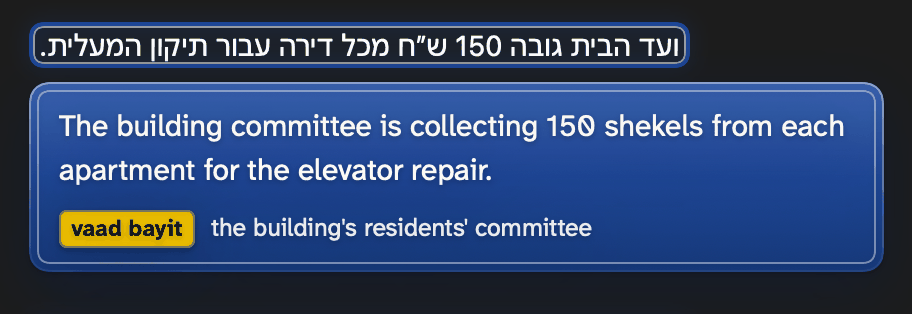
Leave the pointer on Hebrew text and the translation appears under it.
Hold a key and point
Hold a key and point at the Hebrew you want translated.
Press a shortcut
Prefer the keyboard? Press a shortcut instead.
Whichever way you choose, the English appears on a plate under the Hebrew, with a ring around the text being translated.
What it does
For the Hebrew that turns up in everyday life on a Mac, whether it is typed or sitting inside a picture.
Apps and web pages
Works on Hebrew text in apps and on web pages.
Text inside pictures
Reads Hebrew inside pictures too, such as photos and scanned PDFs, once you download a reading model in Settings.
Israeli terms, explained
Israeli terms come with a small chip that explains them.
Five sign themes
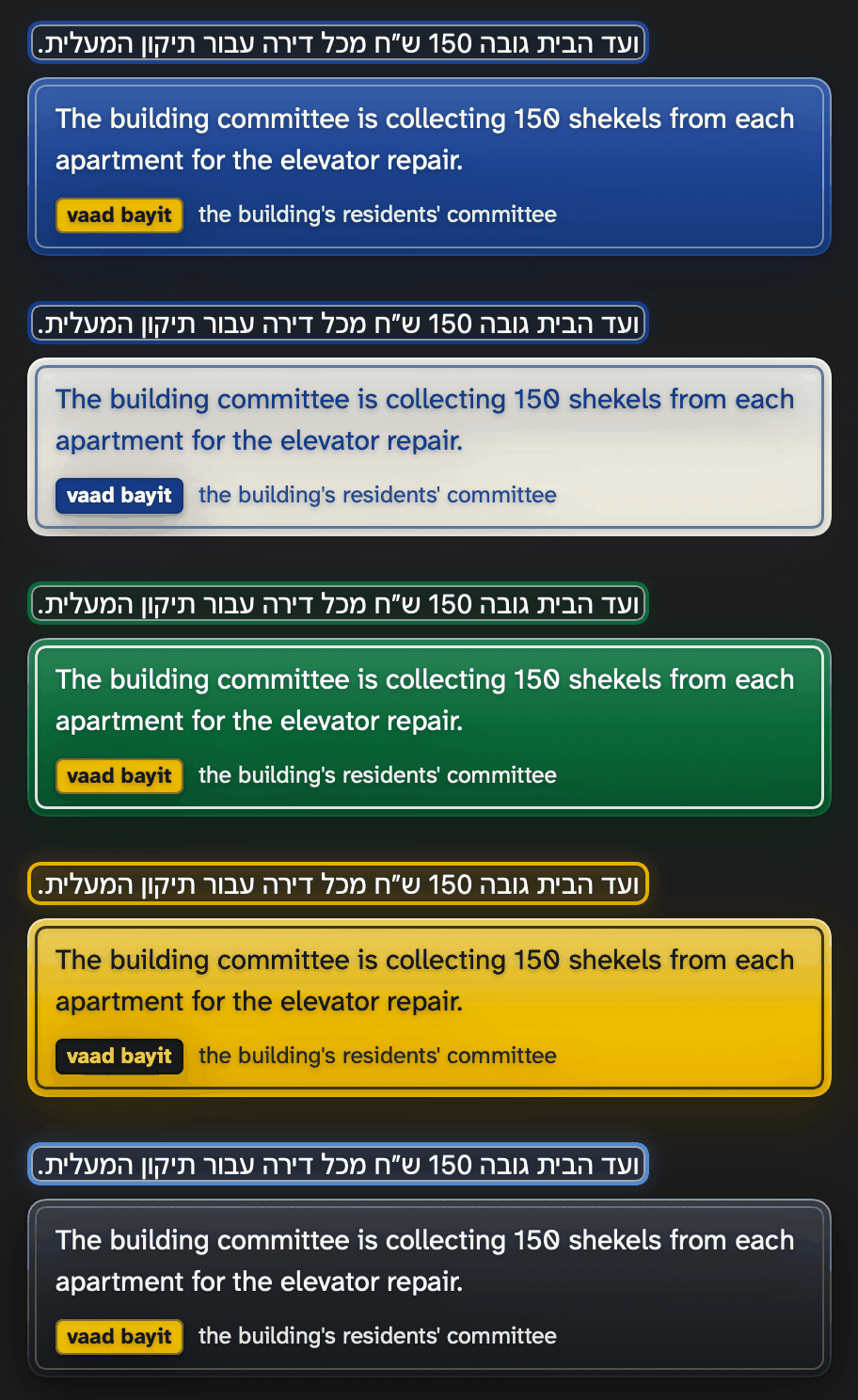
Choose one of five sign themes and adjust the text size.
Click to copy
Need the English somewhere else? Click a translation and it is copied.
Updates itself
Once it is installed, Mazeh keeps itself up to date.
Stays on your Mac
Translation happens on your Mac. Nothing you point at leaves it.
What you need
Three things to check before you install.
Requirements
- A Mac with Apple silicon
- macOS 27.2 or later
- Apple Intelligence turned on
On an older macOS, Mazeh says so when it opens.
How to install
Three steps after the download.
Open the downloaded file
Open the file you downloaded, Mazeh.dmg.
Drag Mazeh to Applications
Drag Mazeh onto the Applications folder.
Open Mazeh
Your Mac asks once to confirm an app from the internet. Mazeh then asks for the two permissions it needs.
Get Mazeh
Free download
Free while in early access. Mazeh will then be a subscription: 7 days free, then $19.99 a year or $2.99 a month.
Made by Spirer Technology Solutions.
